

If you’re searching for clarity on obsolete data transfer standards and what they mean for modern digital infrastructure, this guide is built for you. As hardware evolves and networks scale, legacy protocols like FTP, Telnet, ISDN, Token Ring, and PATA continue to surface in archived systems, aging enterprise environments, and retrofit projects. Understanding where these standards came from—and why they were replaced—is essential for secure upgrades, compatibility planning, and infrastructure optimization.
Many IT teams and tech enthusiasts struggle to distinguish between what is merely outdated and what is genuinely unsafe or inefficient. This article breaks down the most common legacy data transfer technologies, explains why they became obsolete, and outlines the modern alternatives that replaced them.
Our insights are grounded in hands-on analysis of archived tech protocols, hardware transition cycles, and real-world system migrations. You’ll gain practical context, not just definitions—so you can make informed decisions when maintaining, upgrading, or studying legacy systems.
Your digital infrastructure might be running on “ghost” protocols—code from a different era that creates modern security nightmares.
Many networks still rely on obsolete data transfer standards like FTP or Telnet, which send credentials in plain text. In other words, attackers don’t need genius-level skills—just a packet sniffer.
Meanwhile, legacy protocols often lack encryption, integrity checks, and authentication, making interception and session hijacking alarmingly easy.
So what can you do?
First, audit traffic with network scanners to identify insecure services. Next, replace them with SFTP, HTTPS, and SSH, which encrypt data end-to-end. Finally, disable unused ports and enforce multi-factor authentication.
What Makes a Protocol Obsolete? The Three Failure Points
First, let’s clarify the biggest issue: the encryption gap. Encryption means scrambling data so only authorized parties can read it. Older protocols like FTP and Telnet send information—including usernames and passwords—in cleartext, which means anyone intercepting the traffic can read it as easily as a postcard. In today’s threat landscape, that’s like leaving your front door open (and tweeting about it).
Next, inefficiency and feature bloat play a role. Many legacy systems weren’t built for high-latency networks or cloud-scale traffic. Modern protocols are optimized for speed, compression, and resilience, reducing packet loss and retransmissions (think streaming Netflix smoothly versus buffering in 2008).
Finally, authentication and integration gaps seal the deal. Legacy tools often can’t support MFA (Multi-Factor Authentication) or connect with centralized identity providers like OAuth. As a result, obsolete data transfer standards simply can’t meet modern security expectations.
File Transfer’s Ghosts: Why FTP and TFTP Belong in a Museum
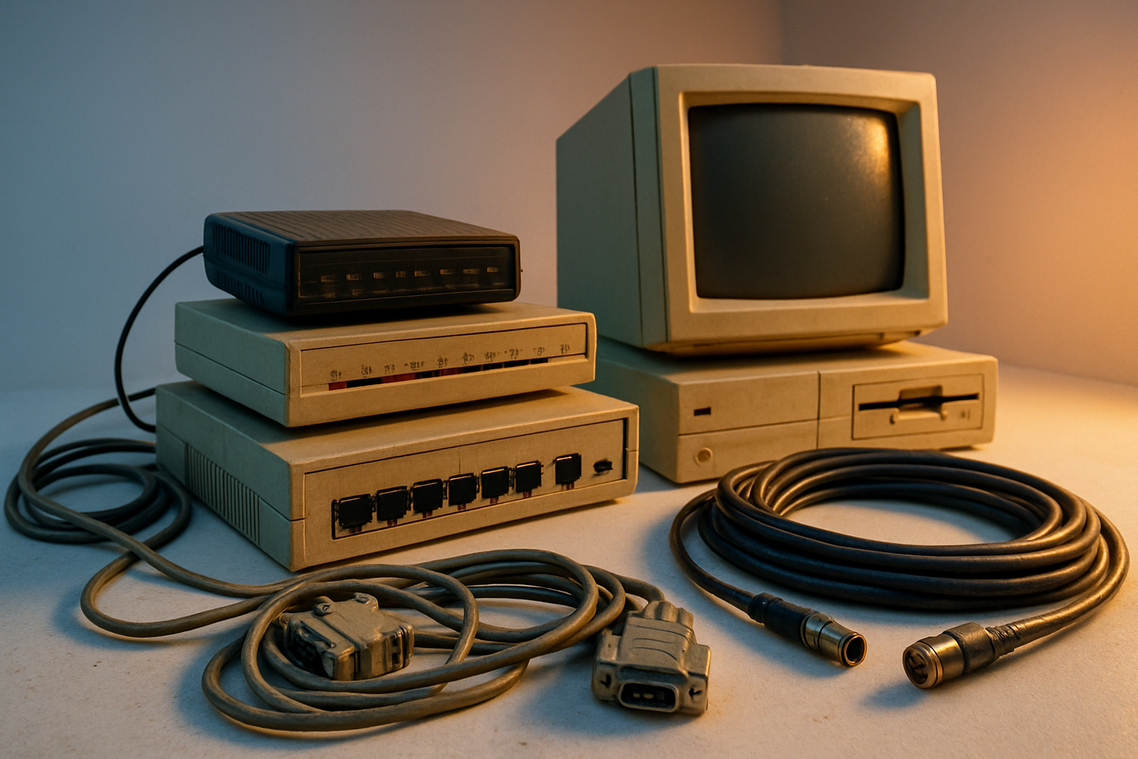
Let’s be honest: few things are more frustrating than inheriting a server that still runs on FTP and being told, “It’s fine. It’s internal.” (Famous last words.)
FTP, or File Transfer Protocol, was built in the 1970s to move files between networked computers. Back then, encryption wasn’t a priority. Today, its cleartext design means usernames, passwords, and data travel across the network readable to anyone sniffing traffic. That makes it a prime target for man-in-the-middle attacks—where an attacker secretly intercepts communication between two parties. In modern threat landscapes, using FTP feels like mailing passwords on a postcard.
The Modern Replacements
SFTP (SSH File Transfer Protocol) runs over SSH and encrypts both commands and data in a single secure channel. It’s firewall-friendly and widely supported. FTPS (FTP over SSL/TLS) adds encryption to traditional FTP using certificates. If you’re integrating with legacy systems that expect FTP semantics, FTPS often fits better. For new deployments, SFTP is usually simpler and cleaner. Pro tip: standardize on one secure protocol internally to avoid configuration drift.
Need a deeper historical perspective? See why ftp and smtp still matter in modern systems.
Consider a hypothetical case: a contractor reuses FTP credentials. An attacker captures them on public Wi-Fi, logs into the production server, uploads a backdoor, and pivots across the network. One weak link, full compromise.
And then there’s TFTP (Trivial File Transfer Protocol). It’s unauthenticated and minimal—useful for booting network devices—but dangerous if exposed online. Leaving it open is practically an invitation. Some obsolete data transfer standards deserve retirement. SERIOUSLY.
The Open Door: Retiring Telnet for Secure Remote Access
Telnet may feel convenient, but it is fundamentally unsafe. Every keystroke, including usernames and passwords, travels across the network in plain text. That means anyone on the same Wi‑Fi, switch, or compromised segment can capture credentials with a simple packet sniffer. Session hijacking becomes trivial — no Hollywood‑level hacking required.
SSH (Secure Shell) is the non‑negotiable replacement. It encrypts traffic, protects authentication, and supports key‑based logins that eliminate password reuse. With port forwarding, administrators can securely tunnel services without exposing additional ports. Pro tip: disable password authentication entirely once keys are deployed.
To identify Telnet, scan for port 23 using tools like nmap or your firewall’s service reports. Review legacy device configs and disable the daemon where found.
Also watch for RSH and RLOGIN, relics of the same trust‑based era. They belong beside other obsolete data transfer standards — interesting historically, dangerous operationally. Retiring them closes an open door attackers still check first.
Modern compliance frameworks and cyber insurance questionnaires increasingly flag unencrypted remote access as a critical finding, so migrating to SSH is not just smart — it is expected baseline hygiene. Act before an audit forces emergency remediation. Now.
Zombie Protocols: Why Outdated Tech Still Lingers
The Legacy Hardware Problem
First, consider the reality of legacy hardware. Many network switches, printers, and industrial control systems (ICS)—specialized computers that run factories, power grids, and water plants—have authentication protocols hard-coded into firmware. Firmware is low-level software embedded directly into hardware (think of it as the device’s nervous system). When those devices rely on obsolete data transfer standards, there’s often no patch, no upgrade path, and no vendor support left. Replacing them can mean halting production lines or rewiring entire facilities. The benefit of keeping them? Operational continuity. The cost? Hidden exposure.
Internal vs. External Risk
Now, some argue these systems are “safe” because they sit on internal networks. However, that assumes the perimeter never fails. According to IBM’s Cost of a Data Breach Report (2023), compromised credentials remain a leading breach vector. Once inside, attackers pivot laterally—using weak internal protocols like a master key. Insider threats compound this risk (and insiders already know where the doors are).
The “If It Ain’t Broke” Fallacy
Of course, operations teams resist change. If it prints, scans, or controls valves reliably, why touch it? Yet functioning doesn’t equal secure—Blockbuster worked too, until it didn’t.
Actionable Mitigation
So what’s practical? Network segmentation—dividing networks into isolated zones—and strict access control lists (ACLs), which define who can talk to what. This containment strategy limits blast radius while preserving uptime. Pro tip: regularly audit segmented zones to ensure policies haven’t quietly drifted.
Continuing to rely on FTP and Telnet isn’t a question of if a breach will happen, but when. These obsolete data transfer standards transmit credentials in plain text, making interception trivial (think Mr. Robot-level easy).
THE THREE-STEP ACTION PLAN:
- Audit: Run network scans with tools like Nmap to locate every instance of outdated protocols across servers, routers, and backup jobs.
- Prioritize: Patch or isolate public-facing services first, then internal systems touching financial or customer data.
- Migrate & Decommission: Replace FTP with SFTP or FTPS, test access, then fully disable and document removal.
Pro tip: log every change.
Stay Ahead of the Shift in Data Transfer Technology
You came here to understand how data transfer standards have evolved — and more importantly, which ones still matter today. Now you can clearly see how legacy systems like USB 1.1, FireWire 400, and Parallel ATA (PATA) once shaped digital infrastructure, and why relying on them today creates bottlenecks, compatibility issues, and security risks.
The reality is simple: outdated protocols slow performance, limit scalability, and expose your setup to failure points. Ignoring these shifts can cost you speed, efficiency, and long‑term reliability.
Act on what you’ve learned. Audit your current hardware, identify any dependence on SCSI-1 or other aging interfaces, and map a transition plan toward modern high‑bandwidth solutions. Even small upgrades can dramatically improve throughput and stability.
If keeping up with evolving standards feels overwhelming, you don’t have to figure it out alone. Get trusted innovation alerts, proven setup tutorials, and infrastructure insights used by thousands of tech enthusiasts. Start upgrading smarter today.
 Heathers Gillonuevo writes the kind of archived tech protocols content that people actually send to each other. Not because it's flashy or controversial, but because it's the sort of thing where you read it and immediately think of three people who need to see it. Heathers has a talent for identifying the questions that a lot of people have but haven't quite figured out how to articulate yet — and then answering them properly.
They covers a lot of ground: Archived Tech Protocols, Knowledge Vault, Emerging Hardware Trends, and plenty of adjacent territory that doesn't always get treated with the same seriousness. The consistency across all of it is a certain kind of respect for the reader. Heathers doesn't assume people are stupid, and they doesn't assume they know everything either. They writes for someone who is genuinely trying to figure something out — because that's usually who's actually reading. That assumption shapes everything from how they structures an explanation to how much background they includes before getting to the point.
Beyond the practical stuff, there's something in Heathers's writing that reflects a real investment in the subject — not performed enthusiasm, but the kind of sustained interest that produces insight over time. They has been paying attention to archived tech protocols long enough that they notices things a more casual observer would miss. That depth shows up in the work in ways that are hard to fake.
Heathers Gillonuevo writes the kind of archived tech protocols content that people actually send to each other. Not because it's flashy or controversial, but because it's the sort of thing where you read it and immediately think of three people who need to see it. Heathers has a talent for identifying the questions that a lot of people have but haven't quite figured out how to articulate yet — and then answering them properly.
They covers a lot of ground: Archived Tech Protocols, Knowledge Vault, Emerging Hardware Trends, and plenty of adjacent territory that doesn't always get treated with the same seriousness. The consistency across all of it is a certain kind of respect for the reader. Heathers doesn't assume people are stupid, and they doesn't assume they know everything either. They writes for someone who is genuinely trying to figure something out — because that's usually who's actually reading. That assumption shapes everything from how they structures an explanation to how much background they includes before getting to the point.
Beyond the practical stuff, there's something in Heathers's writing that reflects a real investment in the subject — not performed enthusiasm, but the kind of sustained interest that produces insight over time. They has been paying attention to archived tech protocols long enough that they notices things a more casual observer would miss. That depth shows up in the work in ways that are hard to fake.